How to fix the upgrade issue with the new Android app
There is a known issue with upgrade process to the latest version of Muzodo's Android app (version 0.6.2).
The app itself is working fine but experiences a problem directly after the upgrade. We are working on the problem and hope to release a new version with this problem fixed.Fortunately, there is a quick workaround to this problem in the current version.
Problem experienced
This issue presents as the start up screen hanging when opening the app.

How to fix this
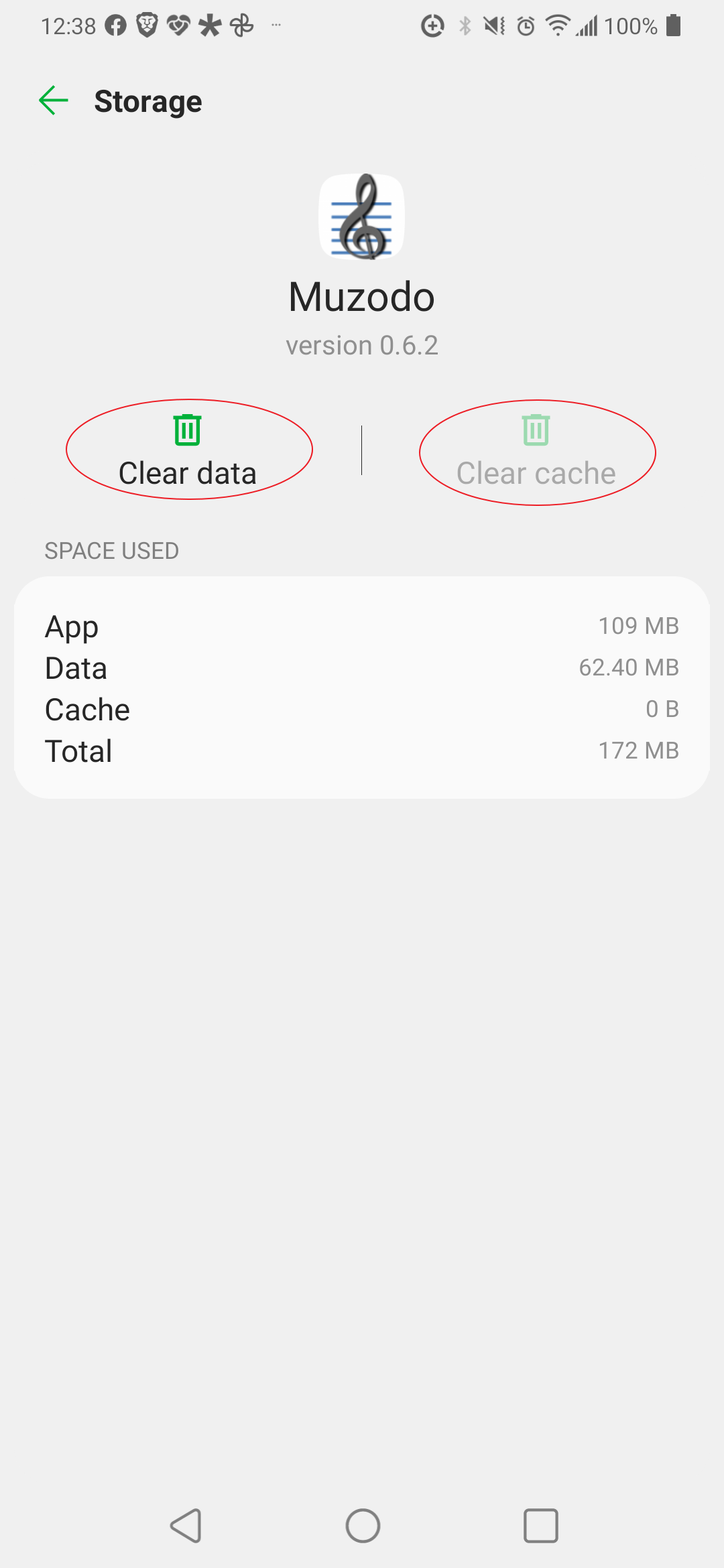
To fix this, you'll need to clear the data and cache for the Muzodo app, which is quick and safe. To do this, please following these instructions.How to Clear the Cache on Android Devices
- 1. Open Settings and select Storage.
- 2. In the resulting list, tap the Apps entry (Other Apps on Android 11 and earlier). ...
- 3. Choose the Muzodo app.
- 4. On the Muzodo app's info page, tap the Clear Data option.
Note: An alternative path to this screen is: Settings > Apps > App Info > select (or search for) Muzodo > Storage > Clear data
Our apologies for this inconvenience - we're working on it!
Thank you for your patience.